What is an Equity SIP?
Similar to a mutual fund SIP, equity SIPs enable investing directly in the stock market in a systematic and disciplined manner. Through equity SIPs, an investor commits to investing a fixed amount in certain stocks every month, which averages acquisition/purchase costs.
Using the Do It Yourself (DIY) option on Smartfolios, you can also create your own basket of stocks to invest in.
How to create your own Smartfolios DIY basket?
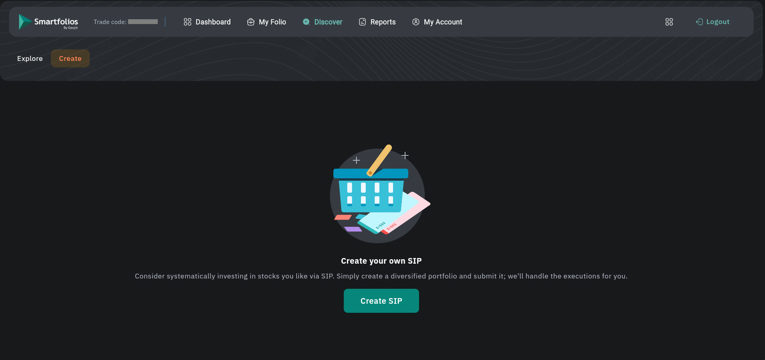
- Click on Create SIP.
- A pop-up window will appear. Enter the following details:
- SIP name
- SIP frequency
- SIP date
- Investment amount
- Choose the payment method:
- Ledger – uses the available wallet balance
- NACH – auto-debit from your bank account
- Select the SIP duration (minimum 6 months).
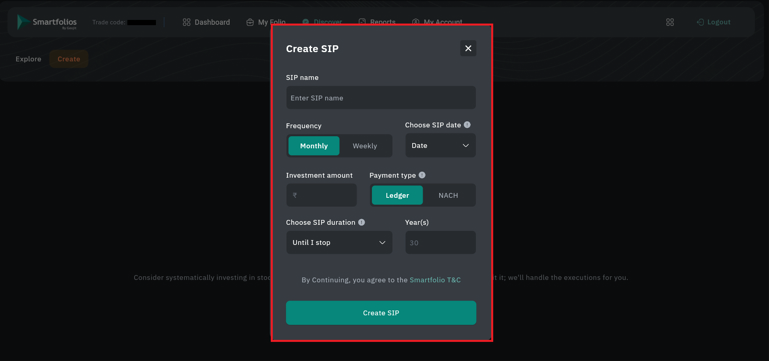
- Click Create SIP.
- You will be taken to a page where you can add stocks to your SIP basket.
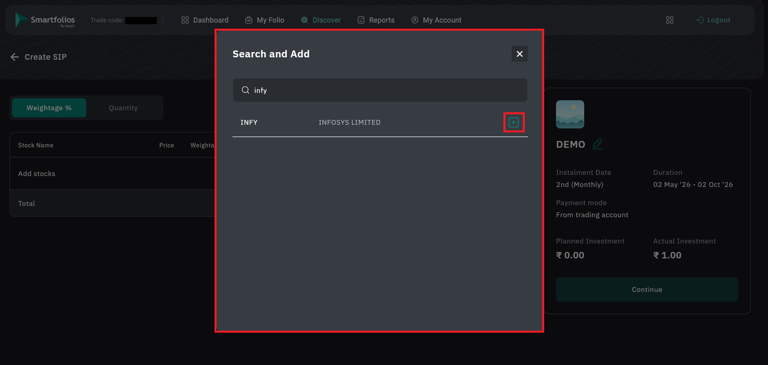
- To add a stock, click on the ➕ Add Stock button on the right-hand side.
- A search bar ? will appear. Type the stock name and select the required stock.
- Click the ➕ Add button corresponding to the selected stock.
- After adding the stocks, you can customize the basket. The following details will be displayed:
- Stock name
- Price
- Quantity
- Approximate purchase value
- Weightage or quantity (as selected)
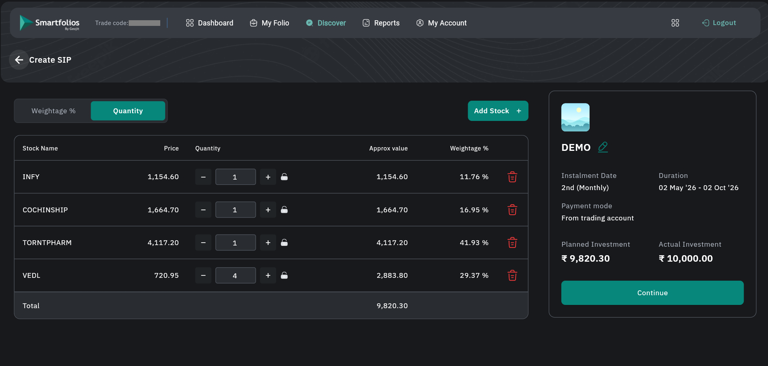
- You can lock the weightage or quantity of a particular stock by clicking the ? lock icon.
- Once locked, any changes made to other stocks will not affect the locked stock.
- Example: If one stock is locked at 50% weightage, adjustments to other stocks will not change it.
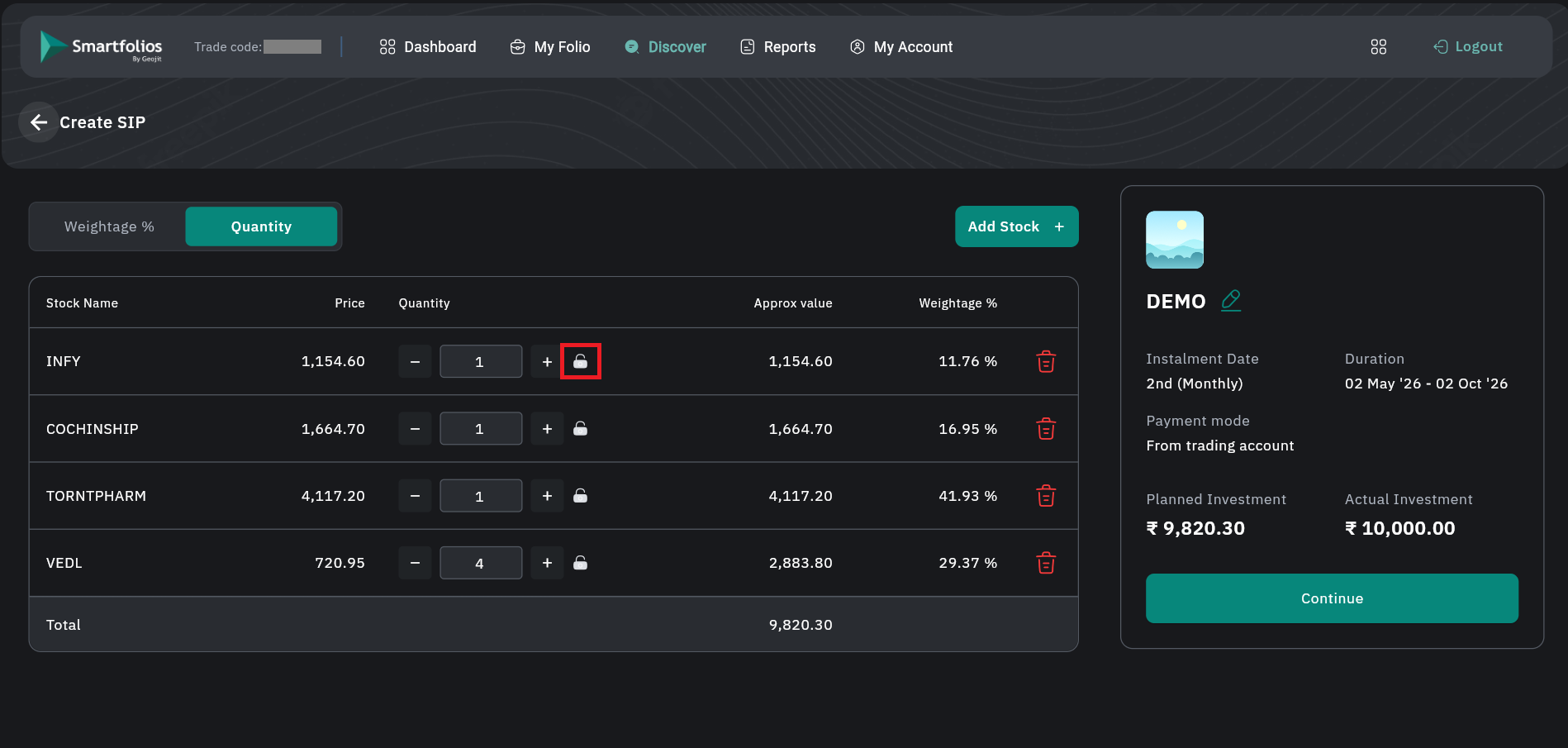
- To remove a stock, click the ?️ delete icon shown at the bottom-right of the stock card.
- Once stock selection is complete, view the Basket Summary on the right-hand side, which includes:
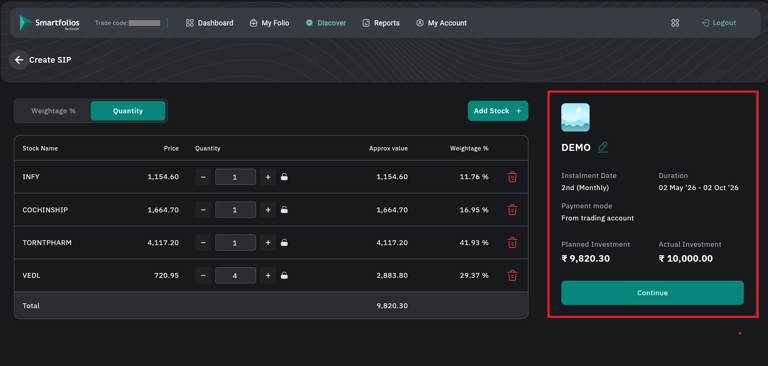
- The planned investment amount is automatically calculated based on the stock price and quantity/weightage.
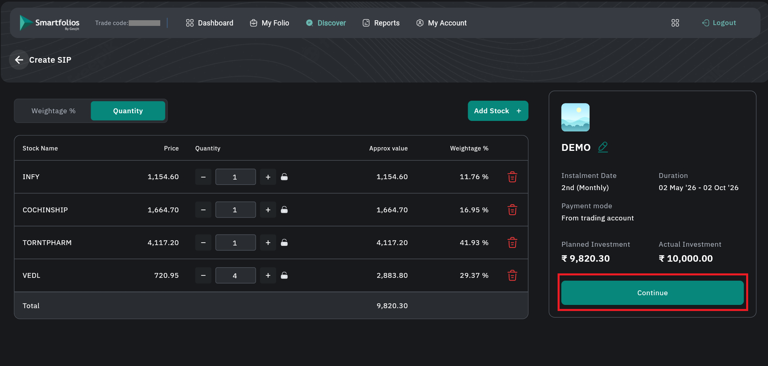
- After reviewing all details, click Continue.
- A confirmation pop-up will appear.
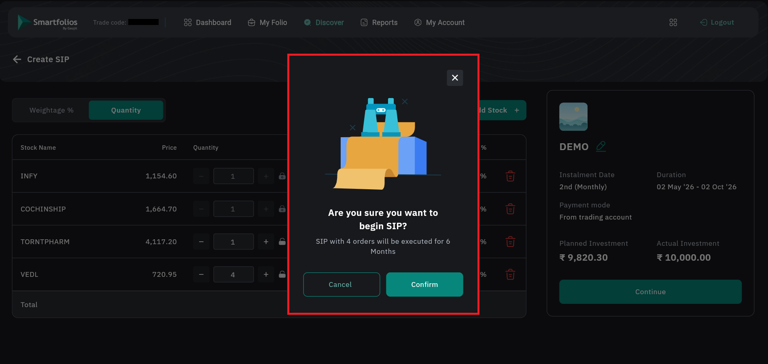
- Click Confirm to create your SIP basket.
- Click Cancel if you do not wish to proceed.
Still need help? Create Ticket


